


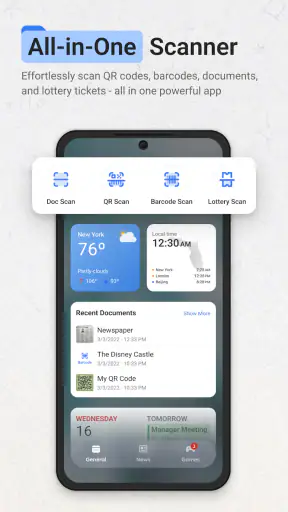
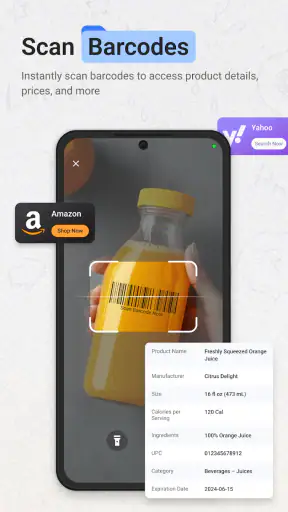
I installed ScanNow Home expecting a focused scanning utility, but its more interesting idea is broader: it turns the phone’s starting point into a place for quick scanning tasks. It is a free productivity app from Homescreen Apps, and it combines a launcher-style home experience with tools for scanning documents, converting files, reading lottery information, and opening QR codes. That combination makes sense if you regularly deal with paper, links, and small pieces of information that otherwise end up scattered across your desk or camera roll.
My first impression was that this is less about replacing every productivity app on my phone and more about reducing the distance between noticing something and capturing it. That distinction matters. A conventional PDF scanner asks me to open the app, choose a mode, frame a page, and decide what to do next. ScanNow Home is designed around making that first action more immediate. In my experience, the benefit appears in small moments rather than dramatic ones: a receipt at the bottom of a bag, a QR code on a notice, or a document I need to keep available after leaving the office.
The app sits in the productivity category, carries an Everyone age rating, and the current version is 1.5.12. It was released on January 29, 2025, and requires Android 9 or later. Its 4.2 average from around 4.7 thousand ratings suggests that many users find the central idea useful, while the more than one million installs show that the launcher-and-scanner approach has reached a substantial audience. I would not treat those figures as a guarantee that it will fit every workflow, but they do make it easier to see this as an established tool rather than an experimental curiosity.
From a messy starting point to a deliberate capture workflow
What happens before opening the app
Before using it, my usual document workflow was inconsistent. I would photograph a page with the normal camera, forget where I saved it, and later discover that the image was difficult to read or lacked the useful structure of a PDF. For QR codes, I might open the camera, wait for recognition, and then decide whether the resulting link was worth keeping. None of these actions is especially difficult, but each one creates a small decision. Those decisions are exactly where useful information tends to disappear.
ScanNow Home is most convincing when I treat it as the first step in a repeatable system. Instead of asking myself which app should handle the item, I begin with the scan and make the next decision afterward. A document can become a file, a code can become a link to inspect, and a lottery ticket can be checked without mixing that task with ordinary photography. The strongest feature is the reduction of hesitation at the moment of capture.
This is also why I would not recommend installing it simply because you occasionally scan one page. If your existing camera and file manager already give you a reliable routine, adding a launcher may feel like another layer. The value grows when scanning is frequent enough that speed and consistency matter: school paperwork, household records, delivery notes, receipts, event notices, or printed instructions you need to consult away from the original.
How the launcher changes the first few seconds
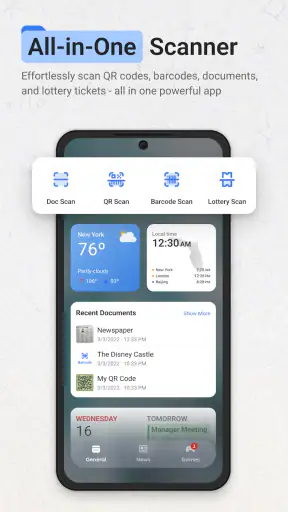
The launcher concept gives the app a different role from a standard scanner. It is not only a destination for finished documents; it is a starting surface for several kinds of quick capture. That can be useful when I am standing in a hallway or shop and do not want to browse through a crowded app drawer. The point is not that the scan itself becomes magically more accurate, but that the route to the right tool becomes easier to remember.
I found this especially practical for mixed errands. A printed sign may contain a QR code, while a separate sheet may need to be preserved as a document. With a conventional setup, I might use the camera for one and a scanner app for the other. Here, the same home experience encourages me to make that distinction immediately. The trade-off is that people who prefer a minimal home screen may see the launcher behavior as unnecessary. It is a workflow choice, not an automatic improvement for every phone.
Capturing documents without creating a second mess
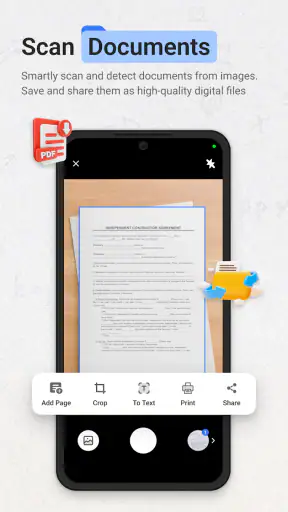
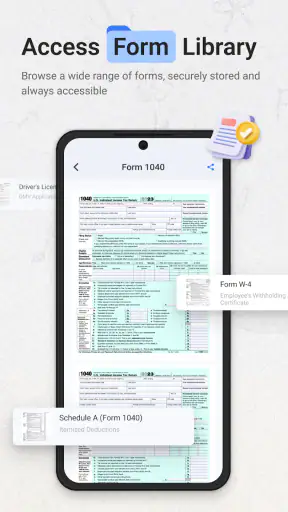
The PDF scanning and file-conversion focus is useful because capture is only half the job. A photo that remains buried among screenshots is not a finished record. When I scan something, I try to decide what it is for before moving on: temporary reference, proof of purchase, household archive, or something I need to send. That small classification step prevents the app from becoming another inbox full of unnamed files.
A practical habit is to scan related pages in one sitting rather than creating separate fragments throughout the day. For example, if I receive several pages from a school or service provider, I handle them together and keep the resulting document associated with the same task. This is not a flashy feature, but it is where the app becomes part of a sustainable productivity system. The scanner supplies a consistent entry point; I still need a sensible place for the result.
There is an important limitation here. A scanning tool can help create a cleaner digital copy, but it cannot decide whether a document should be retained, renamed, shared, or deleted. If I skip that decision, I simply replace a pile of paper with a pile of files. I recommend using a short naming habit after each meaningful scan, even if it is only the subject and month. The time saved during capture is then not lost during retrieval.
QR codes and lottery scans serve a different purpose
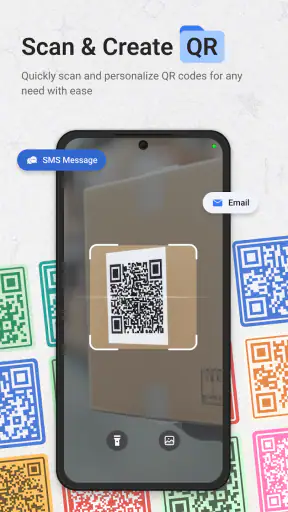
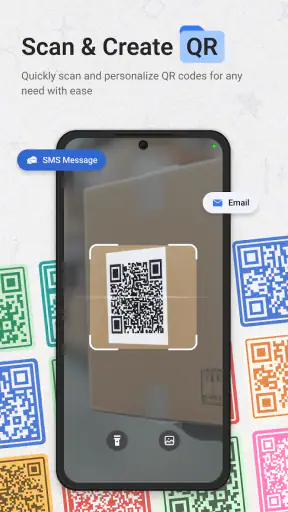
QR scanning is a natural fit for a quick-access home tool because the desired action is usually immediate. I can scan a code, inspect the destination, and continue without opening a full document workflow. I still treat unfamiliar codes cautiously. Convenience should not remove the basic habit of checking where a link leads before entering personal information or downloading anything.
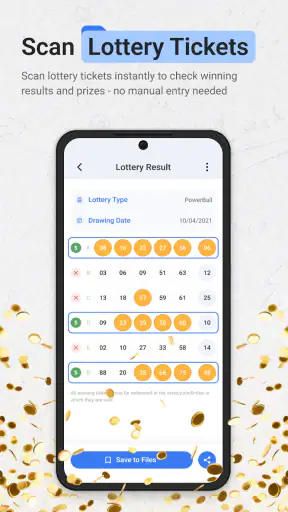
The lottery option makes the app more specialized than a normal PDF scanner. It is helpful for users who want one place for several real-world scanning jobs, but it may feel irrelevant if lottery tickets are not part of their routine. That is the central trade-off of the app’s design: breadth makes the home experience more useful for some people, while others may prefer a single-purpose scanner with no extra categories.
I would also avoid assuming that every scan deserves permanent storage. A QR code often needs no saved file at all, and a lottery check may be a one-time action. My preferred routine is to separate temporary captures from records worth keeping. That prevents the convenience of scanning from quietly increasing digital clutter.
A routine that keeps the app from becoming another inbox
The most effective way I used ScanNow Home was with a short three-stage routine. First, I captured the item as soon as it appeared. Second, I decided whether it was a document, a link, or a temporary check. Third, I gave the result a clear destination before returning to other work. The app helps most with the first stage and supports the second; the third depends on my own file habits.
For a realistic everyday example, imagine receiving a printed repair estimate while leaving a shop. I would scan the pages rather than photograph them casually, convert or keep them in the appropriate file form, and then place the result with my household records. If the same shop displayed a QR code for appointment details, I could handle that separately without confusing it with the estimate. Later, when I need to compare costs or contact the business, I am looking for a named record rather than searching through camera images.
Another useful routine is a weekly cleanup. I would review recent scans, remove temporary captures, and confirm that important documents are in the folder or service where I expect them. This is particularly worthwhile for people who scan frequently. A launcher can make capture fast enough that the backlog grows faster than expected, so a regular review protects the system from becoming chaotic.
Where the workflow can fail
The first failure point is assuming that faster capture automatically means better organization. It does not. The app can shorten the path to a scan, but the user still has to make decisions about storage and follow-up. If you want an app that automatically manages a complete document archive, this may not be the right choice. Its strength is the entry point, not a promise of replacing every part of document management.
The second failure point is using it for tasks that require advanced document editing or deep collaboration. Someone who needs detailed annotation, complex text extraction, shared folders, or a highly developed office workflow may be better served by a dedicated document platform. ScanNow Home makes more sense for quick capture and everyday conversion than for building a professional records department on a phone.
The third is environmental. Scanning still depends on readable pages, reasonable lighting, and steady framing. A launcher cannot compensate for a wrinkled receipt, glare, or tiny print. I get better results by flattening pages, avoiding strong reflections, and checking the preview before walking away. That extra glance is important because discovering a poor scan later defeats the purpose of capturing it quickly.
There is also a behavioral friction that is easy to overlook: changing the phone’s starting point can affect muscle memory. If I already have a carefully arranged home screen, I may need time to adjust to a launcher-oriented workflow. Users who want their home screen to remain purely visual or who rarely scan anything may find the change more intrusive than helpful. The app is best adopted intentionally, not as a default replacement without considering how the phone is currently used.
How it compares with the usual alternatives
The ordinary camera remains the simplest alternative for a quick visual reminder. It wins when I only need to remember what something looked like and do not care about a clean document or a dedicated scan. ScanNow Home is preferable when the item should become a more useful digital record or when I want QR, lottery, and document tasks available from the same starting point.
A dedicated PDF scanner may offer a more focused experience. That can be better for someone who scans many pages every day and wants the fewest possible distractions. ScanNow Home has the opposite advantage: it brings several scanning-related actions together. I would choose the dedicated option for a specialized office workflow, but this app for a household or personal routine where the types of captures change from one moment to the next.
Built-in QR recognition is another strong alternative for people who only scan codes occasionally. It may require no additional launcher or habit change. The reason to choose this app instead is convenience through consistency: if QR codes are only one part of a larger scanning routine, having them beside document and lottery tools may be easier than remembering several separate routes.
Cloud storage and note-taking apps can also accept photos and files, but they often begin after capture. ScanNow Home is more useful at the front of the process. I see it as complementary rather than a total replacement: capture quickly here, then keep the resulting information in the storage or notes system I already trust. That division of labor avoids expecting one app to solve capture, organization, retrieval, and collaboration equally well.
Who should adopt it, and who should skip it
I would recommend trying ScanNow Home if you regularly move between paper and digital information, scan QR codes often, or want a faster way to turn documents into usable files. It is also a good fit for people who lose time choosing between a camera, a scanner, and a code reader. The free price makes experimentation straightforward, and the Everyone rating makes it suitable for a broad household audience.
It is less convincing for someone who never scans documents, already has a polished scanner workflow, or wants a minimalist launcher with no task-specific emphasis. I would also look elsewhere if your priority is advanced document administration rather than fast capture. The app’s appeal comes from combining everyday scanning jobs at the phone’s front door, not from pretending that every productivity need belongs in one place.
Homescreen Apps has built something I find useful precisely because it addresses a small but repeated source of friction. With over one million installs, a 4.2 average, and a current version of 1.5.12, it has enough presence to be worth considering, but those figures do not remove the need to test the workflow against your own habits. My recommendation is to use it for a week with a clear rule: every scan must receive a destination or be discarded during a regular review.
After that trial, the decision becomes fairly simple. If the launcher helps me capture the right thing before I forget it, and if the resulting files remain easy to find, the app earns a permanent place in my routine. If it only adds another home screen while my existing camera and scanner already work well, I would skip it. ScanNow Home is at its best as a dependable front door for real-world information, not as a complete replacement for every productivity tool.


